
Core
The Product Data Process: Onboarding, Enrichment and Publication Explained
Stephan Spijkers · 2026-10-20 · 12 min read
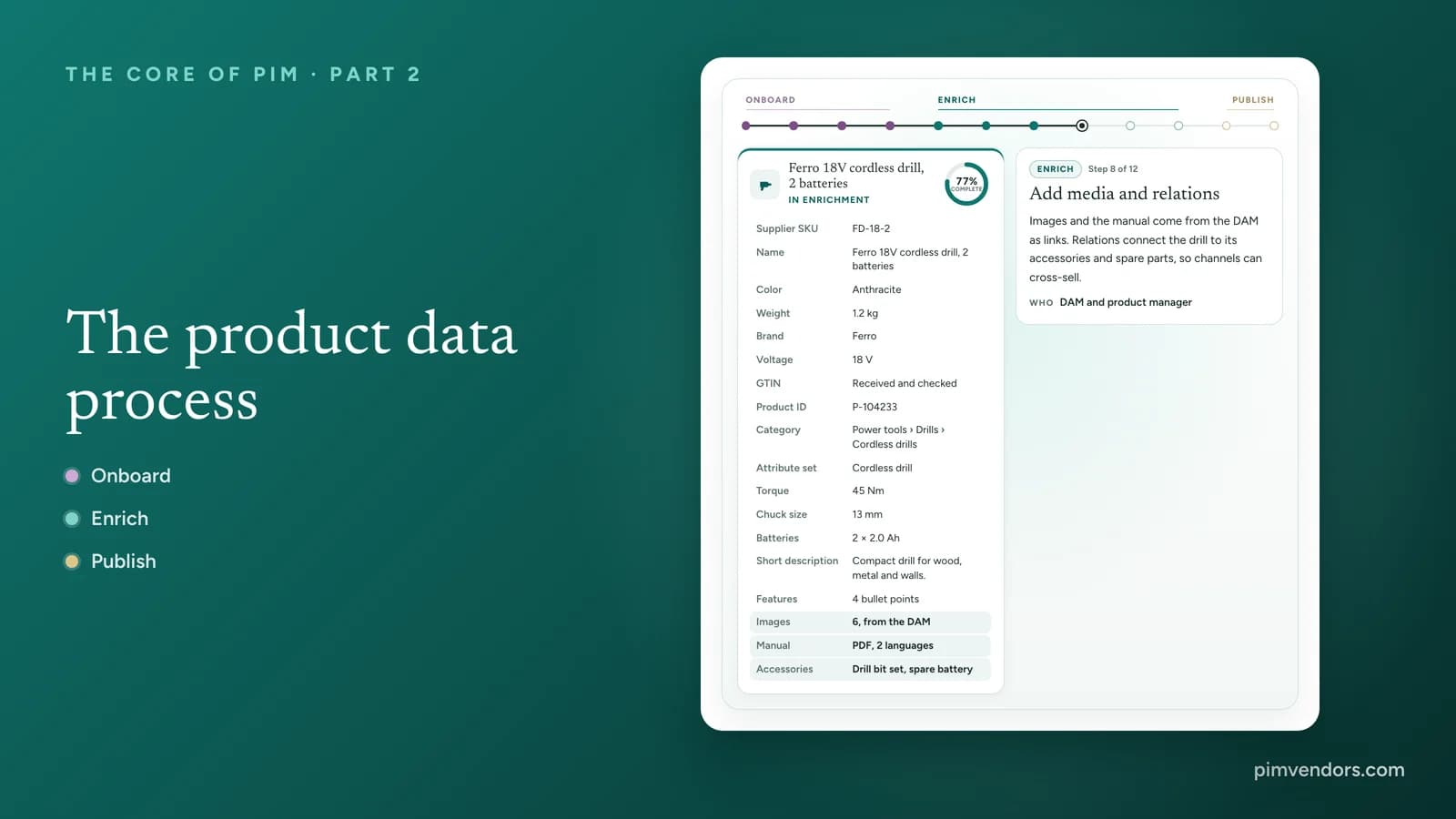
Every product on a webshop, in a catalog or on a marketplace went through the same three stages. Data came in from somewhere, it was turned into something a customer can buy from, and it was delivered to a channel. In many companies those stages are spread over spreadsheets, inboxes and copy and paste. A PIM brings them into one process around one product record. This guide walks through that process: what happens in onboarding, enrichment and publication, who does what, and where it usually goes wrong.
The process on one line
Interactive
One product through the whole process
Follow a new cordless drill from the first import to the moment it is live. Press play, or click any step.
Untitled import
Imported
- Supplier SKU
- FD-18-2
- Description
- CORDLESS DRILL 18V 2AH ANTHR
- Colour
- Anthr.
- Wt (g)
- 1200
Collect
The item arrives from two sources: the ERP sends the item number and base data, the supplier sends a spreadsheet with everything else. Nothing is cleaned yet.
WhoERP and supplier file
The pipeline above follows one new cordless drill through twelve steps. Two things stand out. The record never leaves the PIM: every step adds to it or improves it, so there is never a "latest version" in someone's inbox. And completeness is not a line that only goes up. When the drill is classified, the PIM suddenly knows what a complete cordless drill looks like, and the score drops before it climbs.
Onboarding: getting data in
Onboarding is everything that happens between a source and a usable product record. It decides more about data quality than any later step, because every error that slips through is fixed again in every channel that receives it.
Where product data comes from
Most products arrive from more than one source at once:
- The ERP creates the item number, units, prices and the basic item data. In Part 1 of this series the ERP is the owner of that data, and the PIM reads it.
- Suppliers send spreadsheets, BMEcat or other catalog files, or enter data in a supplier portal.
- Data pools such as GS1 GDSN deliver standardized data from manufacturers in industries that use them.
- PLM delivers engineering data for products a company designs itself.
- The DAM holds the images, videos and documents.
- Legacy files are often the first source in a PIM project: years of spreadsheets that have to be cleaned once.
The four steps of onboarding
Onboarding
From supplier file to clean data
Step through what happens to one row of a supplier's spreadsheet.
- Art.nrFD-18-2Supplier SKUFD-18-2
- EAN(empty)GTINMissingSent back to the supplier
- DescriptionCORDLESS DRILL 18V 2AH ANTHRDraft nameCordless drill 18V 2Ah, anthracite
- ColourAnthr.ColorAnthracite
- Wt (g)1200Weight1.2 kg
- Dims LxWxH250x80x210Length · Width · Height250 · 80 · 210 mm
- Volt18Voltage18 V
Phase 1 of 4
Map
Each column is connected to an attribute in the PIM. One column can feed several attributes, and some columns are not needed at all.
- Collect. Data is imported by file, API, data pool or portal, and lands in a staging area rather than straight in the catalog.
- Map. Each field in the source is connected to an attribute in the PIM's data model. The mapping is saved per source, so the next file maps itself.
- Validate and clean. Rules convert units, expand abbreviations, match values to value lists, split combined fields and check formats and required fields.
- Match. The PIM checks whether the product already exists, by GTIN, supplier number or a fuzzy match on name and specifications, and merges or creates a record.
Staging and quarantine
Imported data should not go straight into the catalog. A staging area holds new data until it passes validation, and a quarantine holds what fails, with the reason attached. The data steward then works on exceptions instead of checking every row. That is the difference between onboarding a thousand products in a day and onboarding them in a month.
Make suppliers part of the process
The cheapest fix is the one the supplier makes before sending the file. Give suppliers a template or a portal that follows your data model, tell them which attributes are required for their category, and send validation errors back automatically. Where your industry has a data pool or a classification standard such as ETIM or GS1, use it: a supplier who already delivers in that format needs no custom mapping. Our article on why incomplete product data starts with the supplier file goes deeper into this.
Enrichment: turning data into content that sells
Enrichment is where an item becomes a product. It is also where most of the work, and most of the people, are.
Classify first
Classification puts the product in its place: in your own category tree and, where you use them, in a standard such as GS1 GPC, ETIM or ECLASS. The class determines the attribute set, the list of attributes that belong to this kind of product and which of them are required. That is why classification comes first. Until a product is classified, nobody can say what complete means for it. Part 3 of this series explains how classes, attribute sets and inheritance fit together, and our guide to GS1, ETIM and ECLASS covers the standards.
Specify, describe and show
With the attribute set in place, the record is filled in three layers:
- Specifications: the technical attributes of the class, from the supplier's data sheet, PLM or the product manager.
- Descriptions: a name that works in search, short and long descriptions, feature bullets and keywords. Specifications tell what a product is; descriptions tell why someone should buy it.
- Media: images, videos, manuals and certificates, linked from the DAM rather than copied.
Relations and variants
Products rarely stand alone. Relations connect a product to its accessories, spare parts, successors and alternatives, which is what drives cross-selling and compatibility questions. Variants group sizes and colors under one product so shared content is written once. Both are part of the data model, and both are covered in Part 3.
Localize
Every market gets its own language version, and sometimes its own units, regulations and assortment. Specifications usually stay the same; names, copy, legal texts and units of measure follow the market. A PIM keeps all language versions on the same record, so a change to a specification reaches every language at once and only the text needs translating.
Where AI helps
AI is now part of enrichment in most PIMs: drafting descriptions, extracting attributes from supplier PDFs, suggesting classifications and translating. It works best on a clean model with clear rules, and its output still needs review for facts, tone and compliance. Our guide on what AI inside a PIM actually does looks at where it works and where it breaks.
Completeness is per channel
Interactive
Complete for which channel?
Each channel needs different attributes, so one product can be ready for print and far from ready for a marketplace. Fill in or clear attributes and watch each channel.
- WMPD
- WMPD
- WMPD
- WMPD
- WMPD
- WMPD
- WMPD
- WMPD
- WMPD
- WMPD
- WMPD
A single completeness score is misleading. The webshop needs long descriptions and extra images, the marketplace needs bullet points and a GTIN, the print catalog needs short text, the data pool needs weights, dimensions and safety documents. A PIM measures completeness per channel, and often per language, and blocks publication to a channel until that channel's requirements are met. Try it above: the same product is ready for print and still far from ready for the marketplace.
Review and approval
Before anything is published, quality rules check the record and a person approves it. In small teams that is one review step; in larger ones a workflow routes the product through specialists and approvers. Our guide to product data quality and governance covers the rules and roles behind it.
Publication: one record, every channel
Publication is where the approved record meets the channels. The job of the PIM here is not to send the same data everywhere, but to send each channel exactly what it needs, in its format and under its rules, from the same record.
Publication
One record, five outputs
The same approved record becomes something different in every channel. Pick a channel, and point at a field to see where it ends up.
Approved record
Point at a field to trace it
Ferro Cordless Drill 18V, 45 Nm, 13 mm Chuck, 2 × 2.0 Ah Batteries
Category: Tools › Power tools › Drills
• POWERFUL: 45 Nm of torque for wood and metal
• VERSATILE: 13 mm keyless chuck
• READY TO GO: two 2.0 Ah batteries included
• LIGHT: only 1.2 kg
Product ID: GTIN 2000000000039
What changed for this channel
- Title built from brand, type and key specifications, in the marketplace's order
- Mapped to the marketplace's own category tree
- Bullet points in the marketplace's style; GTIN required to list
Channel requirements and mapping
Every channel has its own attribute names, category tree, value lists and limits. Marketplaces build titles from a fixed pattern and require identifiers. Data pools use their own attribute structure and code lists for units. Print needs short, fixed-length text. The PIM holds a mapping per channel that translates the record into the channel's version, so nobody rewrites a product by hand for each destination. For marketplaces specifically, see our guide to PIM and marketplaces.
How the data travels
- APIs serve product data to your own webshop, apps and front ends, often in real time.
- Feeds send files on a schedule to marketplaces, comparison sites and retailers.
- Data pools distribute standardized data to retailers in industries such as food, health and DIY.
- Print and documents are generated from templates for catalogs, data sheets and price lists.
- Machine-readable endpoints let AI shopping agents and answer engines read structured product data. Our guide to AI-ready product data explains what they need.
Most channels receive changes as a delta rather than the full catalog every time, which keeps feeds fast and makes it clear what changed.
Close the loop
Channels talk back. A marketplace rejects a listing, a retailer reports a wrong weight, a data pool returns a validation error, a customer asks the same question three times. Each of these is enrichment work. In a good process the feedback reaches the PIM, lands on the right person's task list, and the corrected record is published again. That is why publication is the start of the next round, not the end of the line.
Workflow and governance across the process
A product moves through states: draft, in enrichment, in review, approved, published and, at the end of its life, retired. Any change after publication, from a supplier update to channel feedback, sends it back to enrichment for that change and through review again. The states make the process visible: everyone can see what is waiting, for whom and for how long.
Governance decides who is allowed to do what in each state. The essentials:
- One owner per attribute. The product manager owns specifications, marketing owns copy, the DAM team owns media, the channel manager owns channel versions.
- Rules before people. Validation rules catch what can be caught automatically, so reviewers spend their time on judgment, not on missing units.
- Approval before publication. Nothing reaches a channel without passing its requirements and, where it matters, a person's approval.
- An audit trail. Every change records who made it, when and from which source.
Measuring the process
A process you do not measure cannot get faster. The measures that matter most:
- Time to market: from the first import to live on each channel.
- Completeness per channel: how many products meet each channel's requirements.
- First-time-right rate: how many products pass validation and review without going back.
- Channel rejections: how many listings or data pool messages come back with errors, and why.
- Supplier data quality: how many problems each supplier's files cause, which tells you where to invest in templates or onboarding.
Where the process breaks
Setting up the process in a PIM
Map the sources and the channels
List every source of product data and every channel it goes to, with the formats and the owners on both sides. This is the outline of your process.
Define the data model and the requirements per channel
Agree on the classification, the attribute sets and which attributes each channel requires. Completeness can only be measured against these requirements.
Build onboarding per source
Create a mapping and validation rules for each source, a staging area for new data and a route back to the supplier for what fails.
Set up enrichment workflows and owners
Give every attribute group an owner, route products through the right people, and add review and approval before publication.
Connect the channels and the feedback
Build the channel mappings, choose API, feed, data pool or print for each one, and make sure rejections and questions come back into the PIM as tasks.
What to look for in a PIM
The process puts specific demands on the system. When you compare PIMs, ask to see these with your own data:
- Import and mapping: saved mappings per supplier, transformation rules, staging and quarantine, and a supplier portal or data pool connection if you need one.
- Data model and classification: attribute sets per class, inheritance and variants, and support for the standards in your industry.
- Completeness and validation: rules per channel and per language, with publication blocked until requirements are met.
- Workflow: states, owners, tasks and approvals that match your team, not the vendor's demo.
- Syndication: ready-made connectors for your channels, channel mappings you can maintain yourself, and a way to process channel feedback.
Our overview of PIM features and capabilities covers the full list, and the PIM implementation guide shows how to set the process up in a project.
Where to go from here
Frequently asked questions
What is product data onboarding?
Onboarding is how product data gets into the PIM: collecting it from the ERP, suppliers, data pools and other sources, mapping it to the PIM's data model, cleaning and validating it, and matching it against products that already exist. Good onboarding stops bad data at the door instead of fixing it in every channel later.
What is product data enrichment?
Enrichment turns basic item data into content that sells and complies: classification, technical attributes, names and descriptions, images and documents, relations to other products, and translations. It usually involves several teams, and increasingly AI, with review and approval before anything is published.
What is product data syndication?
Syndication is publishing product data to external channels in the format each one requires: marketplaces, retailers, data pools such as GS1 GDSN, print, and AI agents. The PIM keeps one record and creates a channel-specific version for each destination, then processes the feedback the channels send back.
What does completeness mean in a PIM?
Completeness measures how many of the required attributes of a product are filled in. It is measured per channel and often per language, because each channel requires different attributes. A product can be complete for print and incomplete for a marketplace at the same time.
Who is responsible for product data enrichment?
It is shared. Product managers own technical attributes, marketing or content teams own copy, the DAM team owns media, translators own languages and channel managers own channel versions. Governance makes it work: each attribute has one owner, and a workflow routes products to the right person and to an approver.
Can AI enrich product data automatically?
AI can draft descriptions, extract attributes from supplier documents, suggest classifications and translate. It works best on a clean data model with clear rules, and its output still needs review for facts, tone and compliance before it is published.
How do you speed up supplier onboarding?
Give suppliers a template or portal that follows your data model, save the mapping for each supplier so the next file maps itself, validate on import, send problems back to the supplier automatically, and use data pools where your industry has one.
What is the difference between publishing and syndication?
Publishing usually means making approved product data available to your own channels, such as the webshop and print. Syndication means sending it to channels you do not control, such as marketplaces, retailers and data pools, in their formats and under their rules. In practice the PIM does both from the same record.
Diagnostic
Do you actually need a PIM?
Run the complexity index before you budget software or hire an SI.
Budget
Model a first-pass TCO
Translate catalog shape into a three-year cost range in under ten minutes.